
Advertisement
Click to download now, finish the installation quickly, and directly unlock the all-round experience
Advertisement
Screenshots
Click to download now, finish the installation quickly, and directly unlock the all-round experience
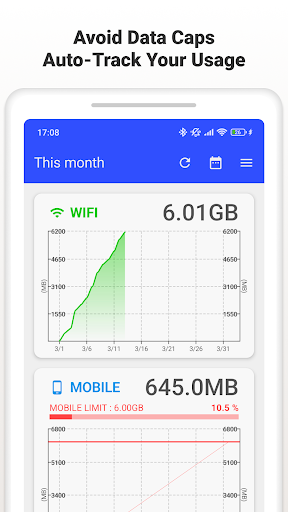
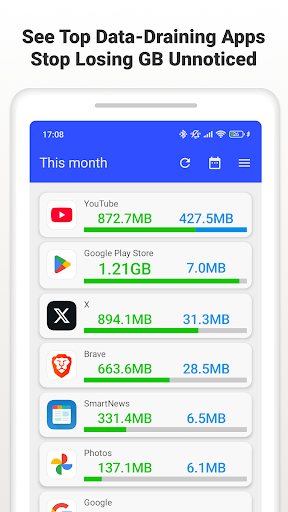
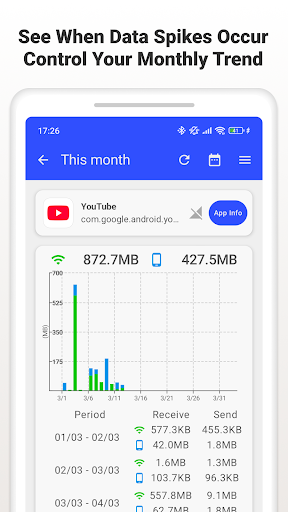
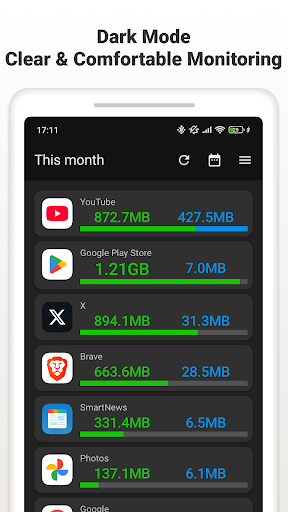
Data Usage Monitor tracks mobile and Wi‑Fi traffic, with separate totals and usage history you can review by day, week or month. It is suited to people watching a data allowance, checking whether a connection is using more than expected, or trying to identify which apps consume the most data.
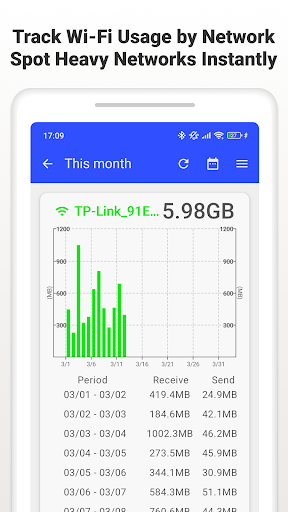
The app can break usage down by individual apps and, for Wi‑Fi, by network name. Graphs make it easier to compare periods and notice changes in your habits. You can set warning thresholds to receive an alert as you approach a limit, rather than relying only on a bill or carrier notification to find out you have used more than planned.
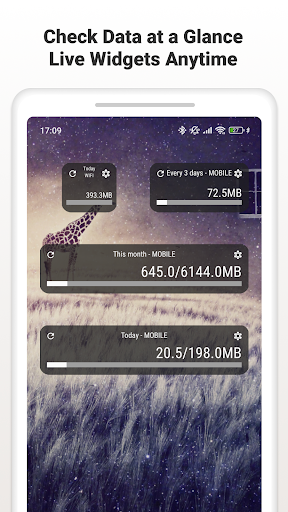
Tracking can continue in the background and resume after the phone restarts. A widget or status-bar display can keep usage figures close at hand, though those options are most useful if you regularly check your allowance and are comfortable giving the app the access Android requires for usage statistics.
This is a practical monitoring tool rather than a general network-management suite. Its value is in making data use easier to inspect over time: set a limit, check the breakdown when something looks high, and adjust your habits if needed. If you rarely approach a cap or never look at usage totals, it may not earn a regular place on your phone.
Data Usage Monitor is published by Lufesu Inc. and has a 3.94 rating from 32,225 ratings, with more than 1,000,000 installs. Those figures suggest it has reached a broad audience, while the rating is a reminder that the experience may not suit everyone.
The listing describes a premium option that removes ads and adds an always-on status-bar meter and enhanced widgets. The core purpose remains straightforward: keep a clearer record of mobile and Wi‑Fi use, and get a warning before your chosen threshold is reached.